
Case study · Allied health · Queensland
From “scroll and hunt” to booked in three taps.
We audited a real physio and dental clinic in South-East Queensland, then rebuilt its website around one job: getting a patient booked.
Part 1 of 2 · Self-initiated · Oct 2026 · Not a client engagement
Before and after, on a phone
Mobile performance
66→100
Accessibility
71→100
Largest content shown
5.9 s→0.8 s
Speed index
8.0 s→1.6 s
Lighthouse 13.5, mobile, throttled. “Before” is the clinic’s live site; “after” is the rebuilt site on our production hosting. Both measured in October 2026.
01 · The audit
What a patient on a phone runs into
Finding 1
Booking sits below the first screen, then leaves the site
On a phone, the first booking button sits about 818 px down the page. Tapping it sends the patient to a third-party marketplace, where other clinics are listed next to this one.
Finding 2
The phone number is hard to see and hard to tap
The only tap-to-call link is about 1,500 px down the page, in light grey (#CDCDCD) on white, and the tap area is 18 px tall. Apple and Google guidance asks for at least 44–48 px.
Finding 3
Navigation is a “Go to…” dropdown
A native select menu replaces navigation on mobile. Services, billing and NDIS information sit three levels deep.
Finding 4
No main heading, and the page scrolls sideways
The homepage has no H1, so search engines and screen readers can't tell what the clinic does. The layout is 7 px wider than the screen, so the page scrolls sideways.
Finding 5
The content tells patients nothing about cost
Health funds, NDIS and kids' dental (CDBS) each have their own page, but none of them appear where people decide to book. The copyright line still says 2018.
02 · The rebuild
Booking-first, on every screen
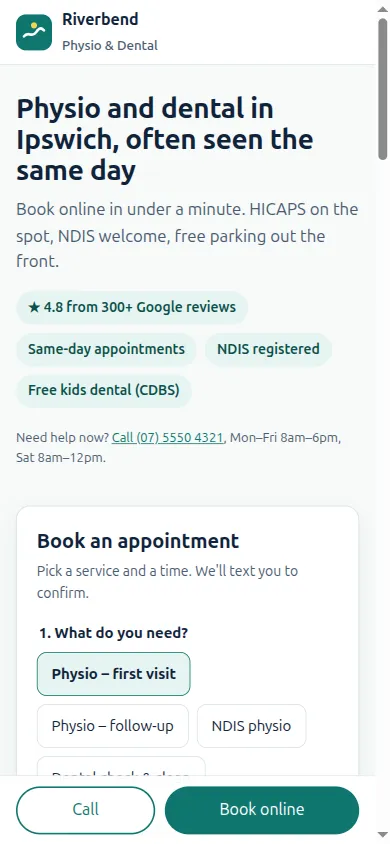
Booking on the first screen
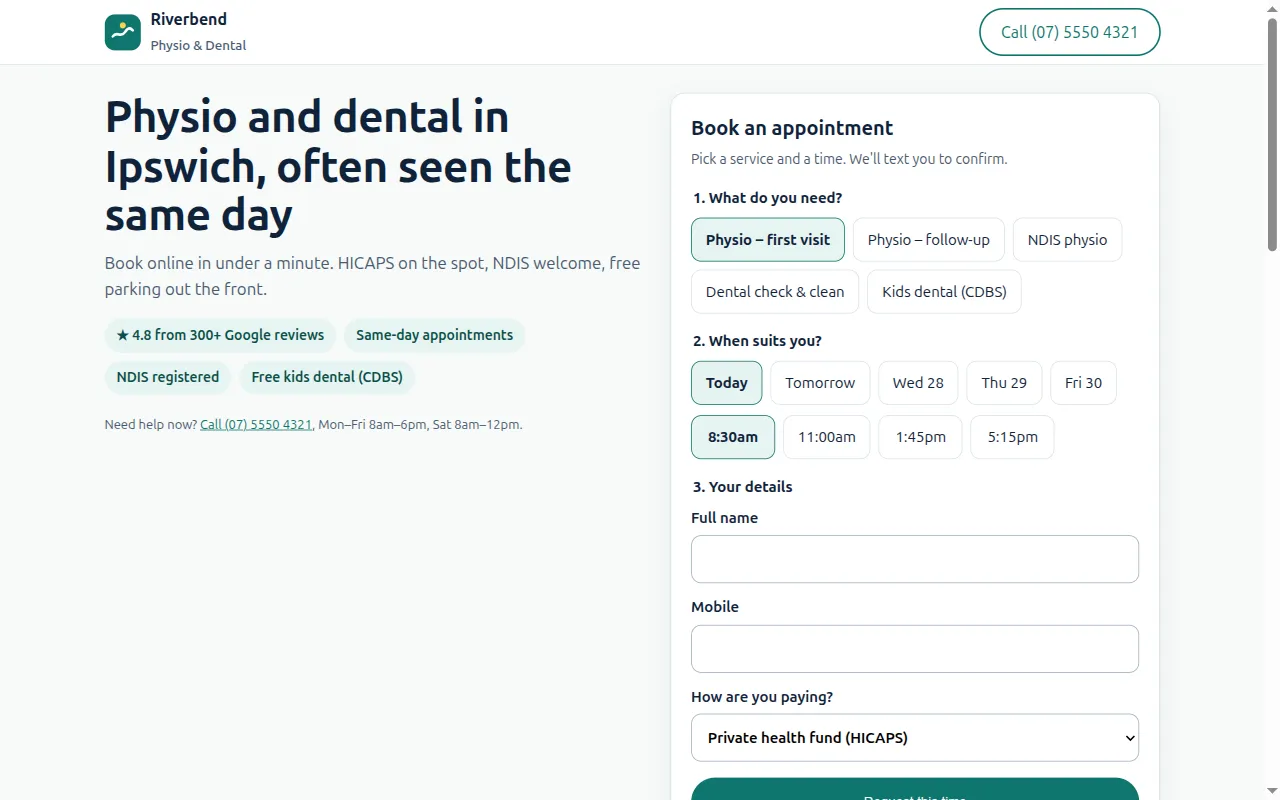
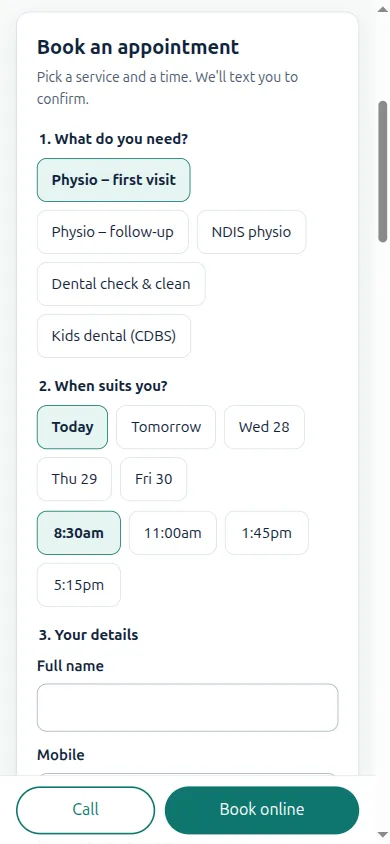
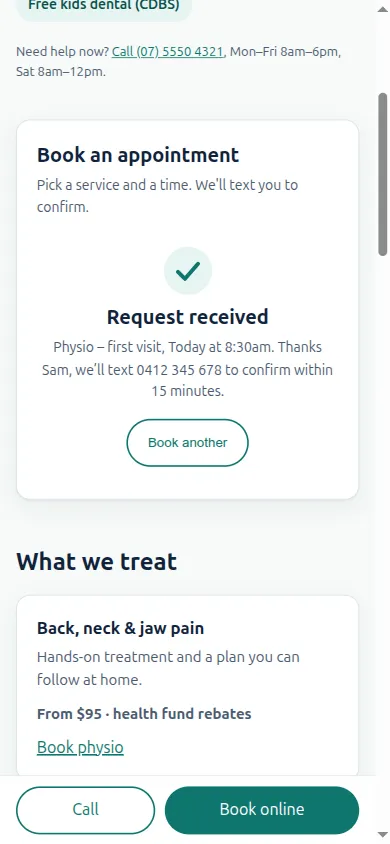
A three-step booking card (service, time, details) sits in the hero. Patients book without leaving the clinic's site.
Call and Book are always in reach
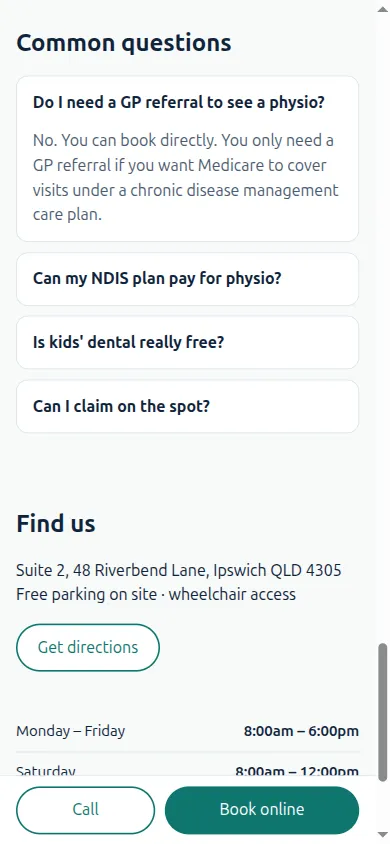
A sticky bar at the bottom of the phone screen with 48 px buttons for Call and Book online.
Cost answered up front
Health funds via HICAPS, NDIS, Medicare care plans and free kids' dental, each in one line under the hero and in the booking form.
Built light
One HTML file of about 16 KB with no web fonts, sliders or plugins. The page makes one request instead of 58.
Accessible by default
Proper headings, visible focus, 44 px tap targets and a status message after booking: the WCAG 2.2 AA basics.
Ready to connect
The booking form is designed to post into Cliniko, Nookal or Halaxy and send an SMS confirmation.
The rebuild, screen by screen
From landing to booked
03 · Ground rules
What this is, and what it isn’t
- A self-initiated study. The clinic is real but not named, and it did not commission this work.
- The rebuilt site uses our stand-in brand, “Riverbend Physio & Dental”, so its prices, reviews and phone number are not the clinic’s own.
- We only report figures we measured. We make no claims about bookings or revenue: those depend on the clinic, and we would measure them after launch.
Run a clinic, NDIS service or trade business in Australia?
Get the same audit of your site. Free, in five minutes of video.
We record a short walkthrough of your site on a phone: speed, booking path, what’s costing you enquiries. No obligation.